Set the tone of voice for every product description

Choose from 13 preset tones, describe your own, and set a writing style, so your product text sounds the way you want across your whole catalog.

13 tone words, one product

Here are tone of voice examples for the same line about an insulated water bottle, one for each preset. Pick the tones that fit your brand.

BluntKeeps drinks cold for 24 hours. That’s it.
ConfidentThe only bottle you’ll need on the trail.
ConversationalHeading out for the day? This bottle has your water covered.
EmotionalFeel that first cold sip at the top of the climb.
EnthusiasticIce-cold water from sunrise to sunset!
FormalThis bottle maintains beverage temperature for up to 24 hours.
FriendlyYour new favorite hiking buddy, ready whenever you are.
InformationalDouble-wall vacuum insulation keeps drinks cold for up to 24 hours.
ProfessionalMade from 18/8 stainless steel for reliable, long-lasting performance.
SellingUpgrade your hydration and never settle for warm water again.
Technical750 ml, 18/8 stainless steel, double-wall vacuum insulation.
UrgentSummer is here. Get yours before your next trail day.
WittyWarm water? Not on this bottle’s watch.

Your own tone and style, in your own words

If the presets don’t quite fit, describe exactly how you want your text to sound and read.

  • Custom tone. Describe your tone in up to 250 characters, like “warm and practical, like advice from an experienced hiker.”
  • Writing style. Set the style your text should follow, from a preset or in your own words.

Set your defaults once

Save your tones and style in your webshop settings, and every text starts from them.

  • Default tones and style. Set them once for each webshop, so you don’t have to choose every time you generate.
  • Change them for any text. Pick a different tone or style for a product whenever it needs one.
  • Bulk or one at a time. Your settings apply whether you generate text for one product or many.

Tone and style, or a full brand voice

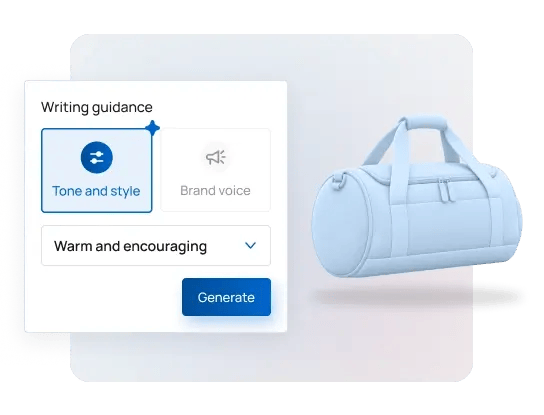
There are two ways to control how your product text sounds. When you generate text, you choose one.

  • Tone and style settings. A quick way to set how your text sounds, with presets or a short description.
  • Brand voice. Reusable writing guidance that WriteText.ai builds from your best product texts, a CSV file, or a PDF like a brand guide.
  • Switch anytime. Use tone and style for some texts and your brand voice for others.

Explore brand voice

How it works

Three steps from choosing a tone to text in your webshop.

1

Choose your tone and style

Set defaults in your webshop settings, or choose them when you generate.

2

Generate your text

WriteText.ai writes your product text in that tone and style, with your target keywords.

3

Review and send

Check the text, edit it if you like, and send it to your webshop.

FAQs

What’s the difference between tone and style?

Tone is the attitude of the text, like friendly, formal, or witty. Style is how it’s written, like the  length of sentences or how much detail goes in. Setting both gives you more control over how your product text reads.

Can I choose more than one tone?

Yes. Select one or more of the 13 preset tones, or enter a custom tone in your own words.

How long can a custom tone be?

Up to 250 characters. That’s enough to describe how you want your text to sound. For full brand guidelines, create a brand voice instead. You can build one from a PDF, a CSV file, or your best product texts.

What’s the difference between tone and style settings and a brand voice?

Tone and style settings are a quick way to set how your text sounds. A brand voice is reusable writing guidance that WriteText.ai builds from your own content. When you generate text, you choose one or the other.

Will changing my tone update my existing product descriptions?

No. New settings apply to text you generate from then on. To update existing products, generate their text again.

Can I use a different tone for different products?

Yes. Your default tones and style apply unless you change them, and you can choose different ones whenever you generate text.

Does the tone affect SEO?

Tone changes how your text reads, not which keywords it targets. Your target keywords are still written into the text, whichever tone you choose.

Which ecommerce platforms does it work with?

WriteText.ai connects to WooCommerce, Shopify, and Magento, and tone and style settings work the same way on all three.

Make every product description sound like you

Choose your tone of voice and writing style once, and use it across your whole catalog.