Content, team, and usage reports

See which products and categories need fresher content, FAQs, or answers to People Also Ask (PAA) questions. Keep a full record of what your team has changed, and fix the gaps in the same platform.

What you can track

See what to improve next, and what your team has already done.

GEO and AEO

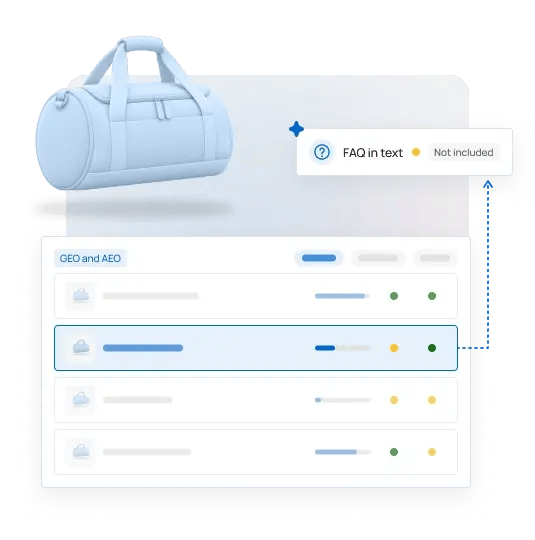
Find the products and categories that need fresher content, FAQs, or answers to PAA questions.

Text generation history

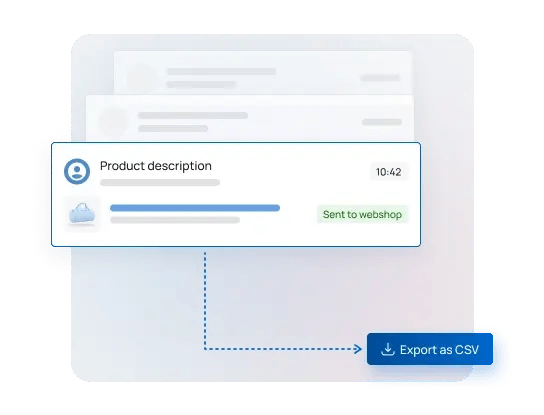
See every text saved or sent to your webshop, by whom and when.

Audit trail and token usage

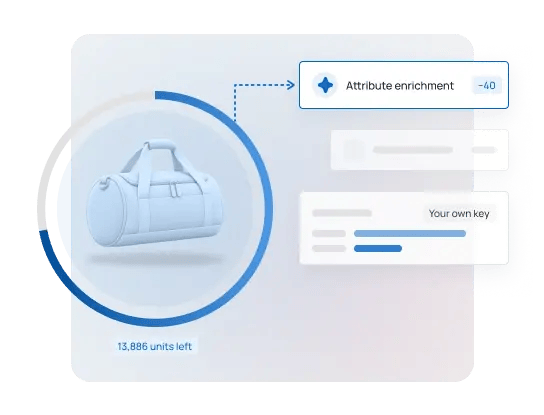
Track activity, units, purchases, and the tokens used with your own API keys.

Find content gaps before search and AI do

Search and AI systems answer with the content they can find. The GEO and AEO report shows where yours needs work.

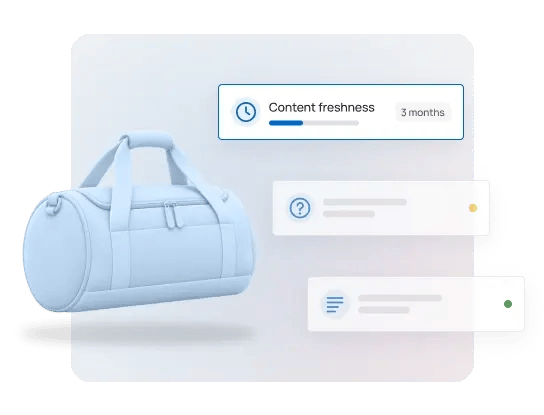
  • Content freshness. See how recently each product and category was updated in your webshop.
  • FAQ in text. See which pages include FAQs in the text you sent to your webshop.
  • PAA in text. See which pages answer the People Also Ask questions shoppers search for.
  • Products and categories. Check both, and filter by status, category, and freshness.

Know who changed what, and when

The text generation history keeps a record of every text saved in WriteText.ai or sent to your webshop.

  • Every change, with a name on it. See who saved or sent each text, and when.
  • Find it fast. Filter by date and user, or search the history.
  • Take it with you. Export the history as a CSV file.

Track every unit and every token

See exactly where your usage goes, across every webshop on your account.

  • Audit trail. Text generation and enrichment activity, usage charges, and purchases, with who did each one.
  • Units at a glance. Each entry shows what it cost and how many units you have left.
  • Token usage for your own keys. If you bring your own key, see tokens by action, user, provider, and model.

Reports your whole team can use

Share the right insights with the right people.

Filter to what matters

Narrow every report by date, user, or action to get to the answer quickly.

Export as CSV

Take your history, audit trail, and token usage into your own spreadsheets.

Access by role

Choose who can see reports and history, and who can export them.
Teams and roles

FAQs

What is a content audit tool?

A content audit tool shows you which pages have content that is missing or outdated. In WriteText.ai, the reports cover your products and categories and sit in the same platform where you enrich and generate, so you can fix what you find right away.

What do GEO and AEO mean?

GEO, or generative engine optimization, is about giving AI systems accurate, up-to-date information they can use in their answers. AEO, or answer engine optimization, focuses on clear questions and answers that help your products appear in featured snippets, voice search, and AI assistant answers.

What does the GEO and AEO report show?

For your products and categories, it shows how recently the content was updated in your webshop, and whether the text you sent includes FAQs and answers to PAA questions. You can filter by each of these, and by category, to find the pages that need work first.

What are People Also Ask (PAA) questions?

PAA questions are the related questions search engines show for a search. They give you insight into what shoppers want to know, so answering them in your product and category text puts those answers right on your page.

What does the text generation history include?

It lists the text saved in WriteText.ai or sent to your webshop, including who made each change and when. Unsaved edits are not included.

What is in the audit trail?

The audit trail covers text generation and attribute enrichment activity, usage charges, purchases, and who performed each action. Each entry shows the unit cost and the units left on your account.

Can I track usage of my own API keys?

Yes. If you bring your own key, the token usage report shows the tokens used by action, user, provider, and model across your account.

Can I export my reports?

Yes. You can export the text generation history, the audit trail, and the token usage report as CSV files.

Who on my team can see reports?

You decide. Roles control who can see reports and history, and who can export them.
How can I try WriteText.ai?

Start a 14-day free trial on 10 products you choose from your own catalog. Every feature is included, so you can see your reports, then enrich and generate content for the products that need it.

See where your content stands

Audit, enrich, and generate content for your products.