WriteText.ai 4.5 is here: expanded alt text coverage, default templates, and more. See what's new.

WriteText.ai 4.5 is here: expanded alt text coverage, default templates, and more. See what's new.
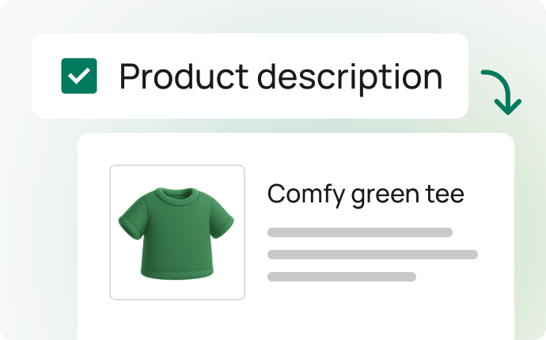
Unlike most AI writing tools that require you to generate content on a separate platform and then integrate with Shopify, WriteText.ai keeps everything right where you need it—inside Shopify.
This eliminates the hassle of juggling multiple tools and ensures a smoother, faster, and more efficient workflow. With WriteText.ai for Shopify, content creation, editing, and publishing happen in one place, directly within your Shopify store.
Publish content instantly without leaving Shopify.
Maintain a unified content style and tone across your entire store.
Skip the need for exporting and importing text from other platforms.
Minimize mistakes with a streamlined, integrated process.
Easily update and manage your content in real-time.
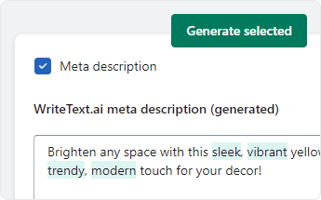
Generate product descriptions, meta titles, alt text for Shopify, and more within the WriteText.ai interface.
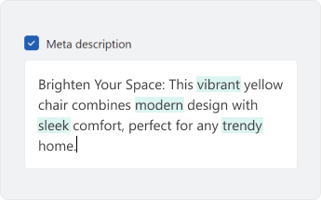

While the direct text transfer is a standout feature, WriteText.ai offers many other tools to enhance your Shopify store. Experience convenience and speed in ecommerce copywriting with WriteText.ai’s suite of features from product description generator, image alt text generator, to reference product, keyword analysis, custom tones, style, and audiences, and more. See full list of features here.
Say goodbye to the back-and-forth between platforms and enjoy a seamless, efficient, and error-free publishing experience with WriteText.ai for Shopify.
When you transfer content to Shopify using WriteText.ai, it updates the fields you have generated content for. If a product already has a description, the generated text replaces it once you confirm the transfer. You review and approve all content inside the WriteText.ai interface before anything is published to your store.
Yes. WriteText.ai lets you generate and publish individual content types independently within Shopify. You can choose to transfer only meta titles, for example, while leaving existing product descriptions unchanged. Each content type is handled separately, giving you control over what gets updated and when.
Yes. WriteText.ai supports bulk content generation and bulk transfer within Shopify, allowing you to publish content to many products in a single action. Content generation consumes credits according to your plan, while transferring content to Shopify is part of the standard publishing workflow. You can view more details in WriteText.ai's pricing page.
You can review all generated content inside the WriteText.ai interface before transferring it to Shopify. The review step allows you to read, edit, and approve each piece of content. WriteText.ai does not provide a live Shopify storefront preview, but you can check how the content appears by visiting the product page in your Shopify admin after publishing.
WriteText.ai transfers product descriptions, meta titles, meta descriptions, Open Graph text, and image alt text directly to your Shopify product pages. All fields are handled within the same platform, so you do not need separate tools for different content types.