
This guide is for ecommerce store owners and content teams who want to harness AI-generated content without sacrificing the copy they've already invested in — whether it's manually written, compliance-sensitive, or simply high-performing.
WriteText.ai is built with exactly this kind of operational flexibility in mind: its support for custom attributes and custom prompts makes it possible to protect and reuse any existing product copy while still benefiting from full AI automation everywhere else.
Step 1: Create a custom product field
Create a new custom field in your product catalog to store the description you want to preserve.
Note: This "custom field" example is for WooCommerce. For Magento, it is called an attribute. For Shopify, it is a metafield. 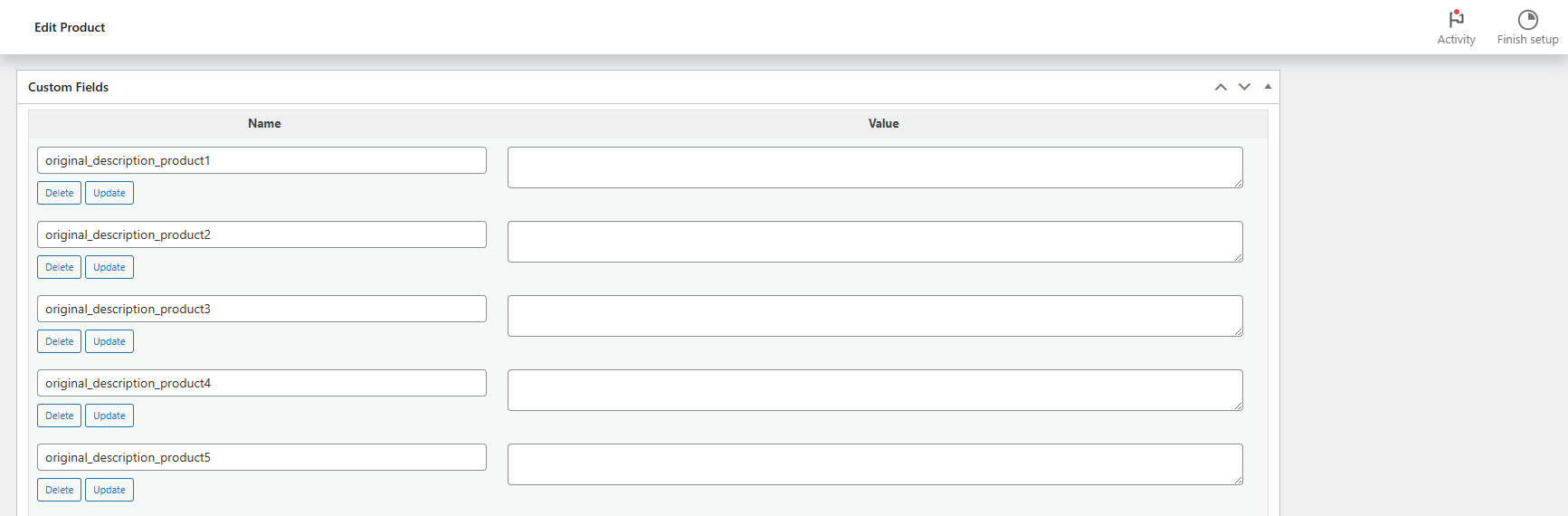
Take note of the field's key name — you'll need it in Step 3. Use something clear like "original_description_product1"
Step 2: Move your existing description into the custom field
Copy your current product description into the new custom field. This copies it from the standard description field and places it somewhere WriteText.ai can reference independently.
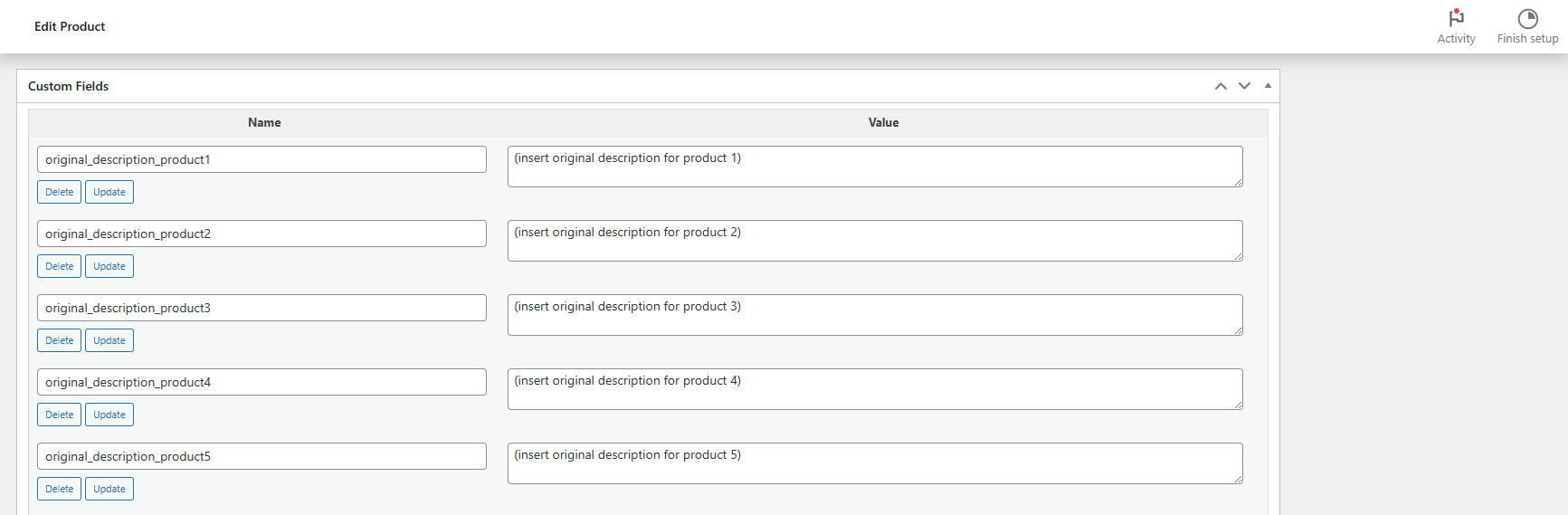
For large catalogs: Have a developer run a database query to migrate descriptions in bulk rather than doing it product by product.
Step 3: Add a custom prompt in your WriteText.ai template
In the WriteText.ai template that you will be using when generating text, create a custom prompt block.
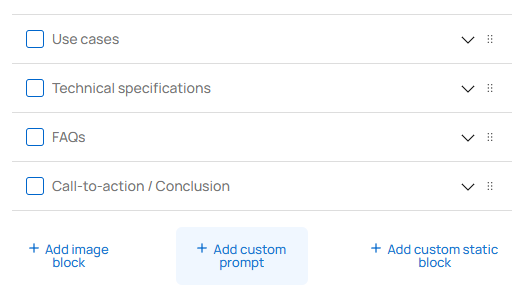
Use the following instructions in the prompt:
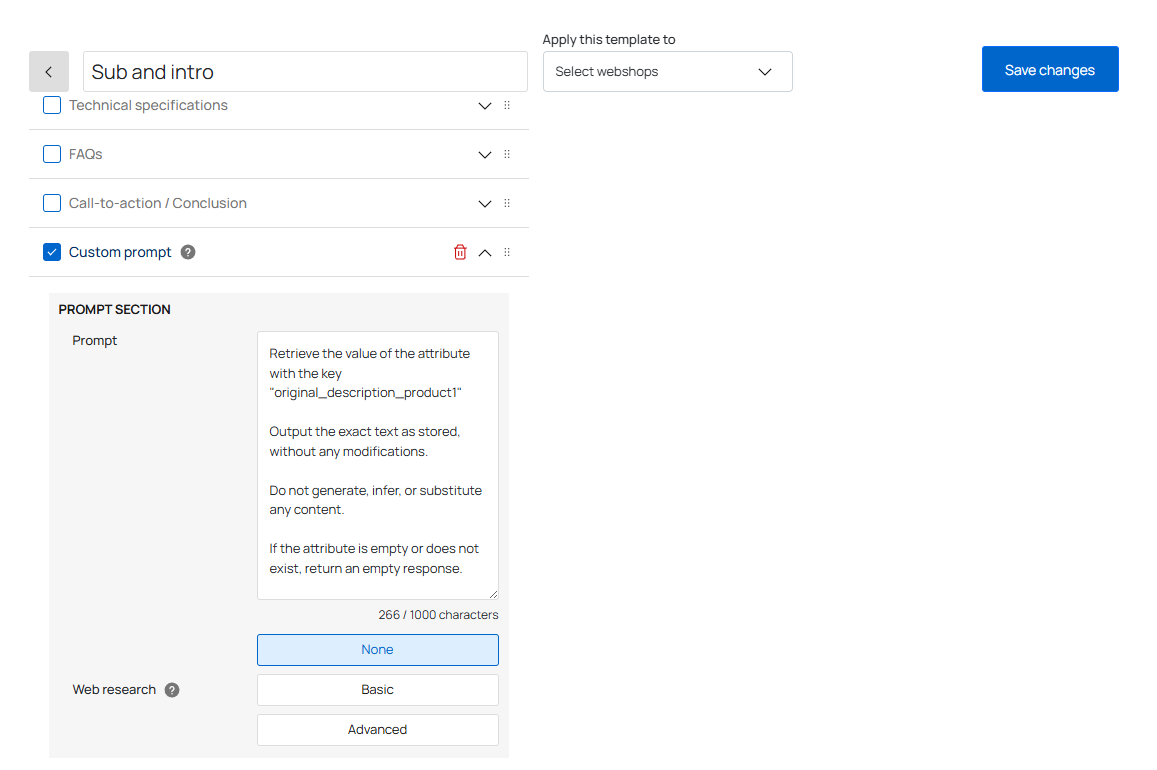
Important:
- Replace
original_description_product1with the actual attribute key from Step 1. - Set Text layout to "Prompt defined" so WriteText.ai outputs the content exactly as instructed.
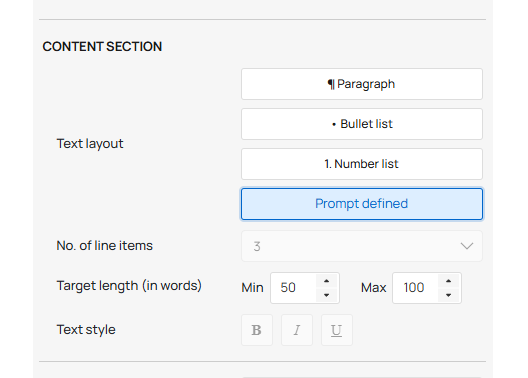
This prompt retrieves the stored text verbatim — no rephrasing, no inference.
Step 4: Enable the custom field during generation
When running a generation, make sure the field from Step 1 is selected in WriteText.ai's attribute settings. The platform will fetch its value and insert it into the output at the position defined in your template.
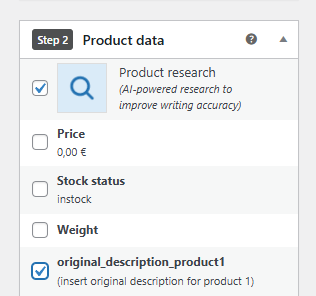
All other content, such as meta descriptions, feature bullets, SEO copy, can still be fully AI-generated around it.