
When using a template, the global minWords and maxWords settings do not apply. Output length is controlled by the target length settings configured per section inside the template. To hit a total word count target, decide how many words you want from each section and set those targets individually in the template editor.
How you control length depends on the text layout set for each section. Sections set to paragraph layout use a word count target. Sections set to bullet or number list use the number of line items, with word count per item controlled through special instructions.
For paragraph text layout
Split the total across sections used
Divide your total target across sections based on how much content each genuinely needs. The split does not need to be equal. For each section, set a minimum and maximum word count in the target length setting in the template configuration.
As an example, if your target word count is around 650 words, you can set the following target word counts:
- Introduction: 90 to 100 words (default maximum length is 100)

- Features: 180 to 190 words
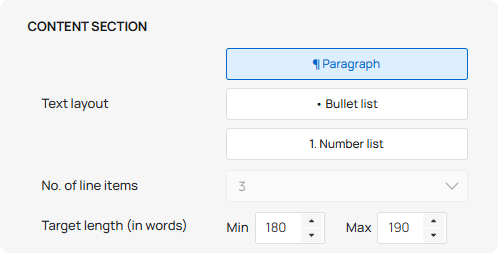
- Use case: 170 to 180 words
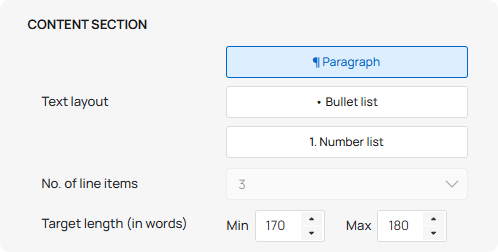
- Technical specifications: 170 to 180 words
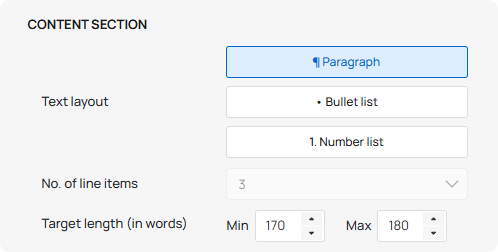
For subtitle or tagline, the default maximum length is 20 words.
Check your totals
Add up the minimum values and the maximum values across all sections to confirm the numbers are near your overall target. For the example above:
- 10 + 90 + 180 + 170 + 170 = 680 words minimum
- 20 + 100 + 190 + 180 + 180 = 720 words maximum
This gives an estimated total of 620 to 670 words. If the total is below your target, increase the target length for one or more sections and recalculate. If the total is higher than needed, reduce accordingly.
For number list or bullet list text layout
Split the total across sections used
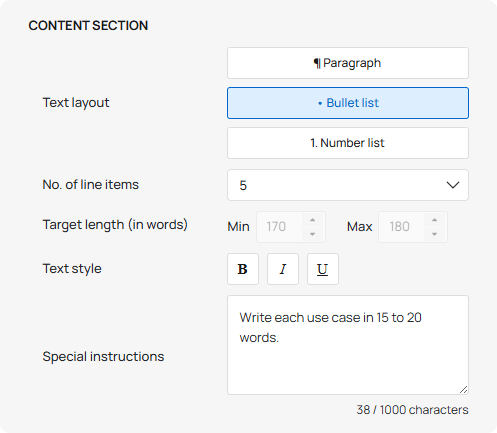
For sections set to bullet or number list format, length is controlled by the number of line items rather than a word count. Set the number of line items per section using the No. of line items setting in the template configuration. To control the length of each line item, add a word count instruction in the special instructions field for that section.
As an example, if your target is around 200 words across a Features section and a Use cases section both set to bullet list:
- Features: 6 items, special instruction: "Write each feature in 15 to 20 words."
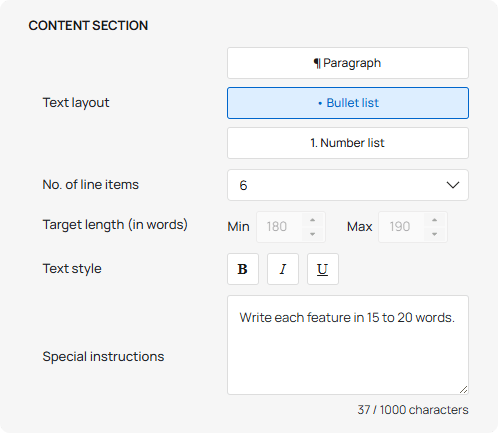
- Use cases: 5 items, special instruction: "Write each use case in 15 to 20 words."
Check your totals
Multiply the number of line items by the target words per item for each section, then add the results together to estimate the total. For the example above:
- (6 × 15) + (5 × 15) = 165 words minimum
- (6 × 20) + (5 × 20) = 220 words maximum.
This gives an estimated total of 165 to 220 words across both sections. Adjust the number of items and the per-item word count based on what the content requires.