WriteText.ai 4.5 is here: expanded alt text coverage, default templates, and more. See what's new.

WriteText.ai 4.5 is here: expanded alt text coverage, default templates, and more. See what's new.
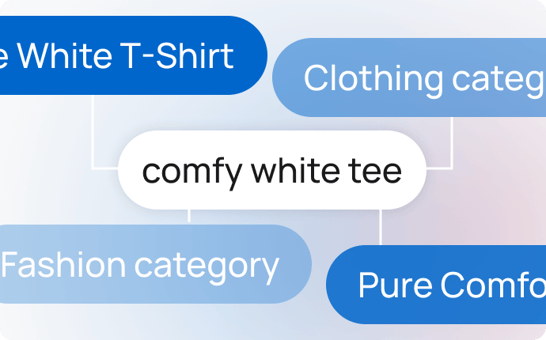
Keyword cannibalization happens when two or more pages on your site try to rank for the same keyword. Instead of helping your SEO, this causes confusion for search engines—forcing them to choose between pages and weakening your overall ranking potential.
It can lead to:With version 2.1, WriteText.ai introduces the Keyword Cannibalization Report, a handy dashboard in the backend that shows a list of keywords that are being targeted by multiple pages. For each keyword, WriteText.ai shows you the ranking URLs and their positions. You can then decide whether to update, merge, or retarget the competing pages.
This tool is essential for SEO keyword cannibalization management—helping ecommerce teams maintain a clear keyword structure across thousands of products, categories, and blog posts.
Know exactly which pages are hurting each other’s chances of ranking.
Use the report to consolidate similar content, adjust keyword targets, or shift focus across pages.
Ensure every keyword is aligned with a single, focused page that ranks well and converts.
Detect early signs of keyword cannibalization before they impact your rankings.
Rewrite or update affected content directly with WriteText.ai’s AI-powered bulk features.

WriteText.ai checks your entire webshop—including product, category, and other indexed pages—for keyword overlaps that may cause SEO keyword cannibalization.
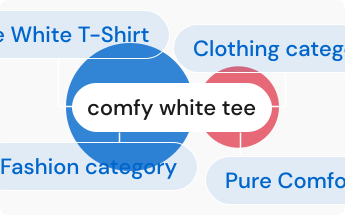
It detects which keywords are being targeted by multiple URLs.
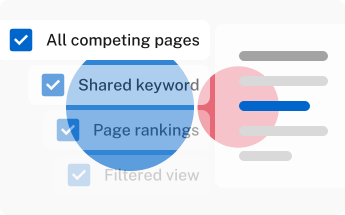
You get a structured report showing:
- All competing pages
- The shared keyword
- Page rankings
- Link to a filtered view in WriteText.ai

Run the report regularly to keep your content strategy clean, focused, and SEO-friendly.
Eliminate internal competition and improve your chances of ranking higher.
Focus SEO signals where they matter most by aligning keywords with the right content.
No need for manual audits—quickly see which pages to consolidate, update, or reassign.
Keep your entire catalog aligned with your keyword plan and avoid future keyword cannibalization.
Combine this feature with keyword analysis and bulk content generation to optimize at scale.
You don’t need to be an SEO expert to use this feature. The interface is intuitive, the results are clear, and the fixes are actionable. Whether you're managing 20 products or 2,000, WriteText.ai gives you the visibility you need to fix keyword cannibalization and optimize confidently.
The keyword cannibalization report is only one feature among many available in WriteText.ai. Experience convenience and speed in ecommerce copywriting with WriteText.ai’s suite of features from bulk generation to advanced AI image analysis, custom tones, style, and audiences, and more. See full list of features here.
Once WriteText.ai identifies pages targeting the same keyword, you can retarget one of the pages by assigning a different keyword in the pipeline and regenerating its content, or adjust the content focus of one page to differentiate it. Any broader site changes, such as page consolidation or redirects, should be handled within your ecommerce platform or CMS.
WriteText.ai allows you to configure how frequently keyword checks run, such as every 30 days, and the system runs those checks automatically on the schedule you set. You can also run the report manually at any time. WriteText.ai provides an estimate of the credits required for upcoming checks and shows the scheduled date for the next run, so you can plan accordingly.
WriteText.ai's keyword cannibalization report scans your entire store, including product pages, category pages, and other indexed pages. This means it can identify keyword overlaps not just between two product pages, but also between a product page and a category page targeting the same term, which is a common source of cannibalization in ecommerce stores.
WriteText.ai's cannibalization report identifies keyword overlaps based on the keyword targets set within the WriteText.ai keyword pipeline, not on keyword mentions that happen to appear in the body text of different pages. This means the report surfaces intentional targeting conflicts, where two pages have been assigned the same keyword as their optimization target, rather than flagging coincidental keyword appearances.
The keyword cannibalization scan runs within WriteText.ai's platform rather than directly on your store's server, so the analysis does not affect your store's front-end performance or loading speed for shoppers. For very large catalogs, the scan may take longer to complete, but this happens in the background without interrupting your store's operation.