
When multiple people generate content in WriteText.ai, individual users can adjust their own user settings, which means output can vary from one team member to the next. Only administrators can configure global settings, making this the most reliable way to keep output consistent across your team.
What global settings control
Global settings set the baseline that all users work from. The two settings that apply universally across your team, regardless of what individual users have configured, are:
-
Product description target length (in words)
-
Product short description target length (in words)
These are also the only settings that take effect immediately for all users when an administrator changes them.
If a user needs different target lengths for a specific product or session, they can adjust these settings temporarily. Once the session is complete, the settings return to the global defaults automatically. This gives individual users the freedom to handle special cases without affecting the baseline configuration that the rest of the team works from.
Note that target length settings do not apply when a template is in use. WriteText.ai respects the length defined in the template, so if your team is generating content from templates, the global target length settings are not applied.
Why other settings may still vary between users
Settings outside the two above are stored at the user level. Once a team member modifies their own tone, audience, or content type selection, those preferences stay in place even if an administrator updates the global settings later. This is by design, as it lets individual users work the way they prefer without overriding their choices each time an administrator makes a change.
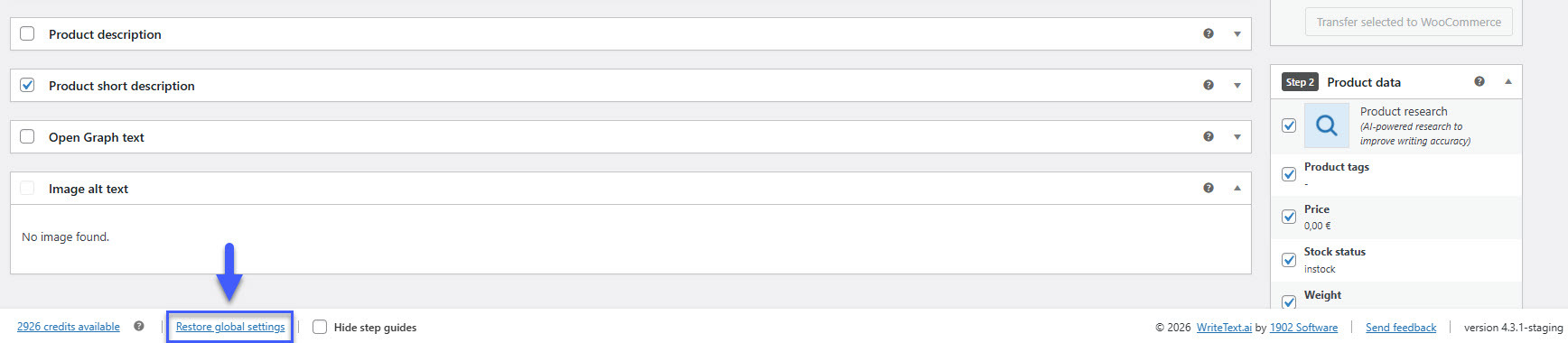
If you need a team member's user settings to match the global configuration, they can restore them at any time using the "Restore global settings" option at the bottom left corner of the settings page, or the Reset link under Tones and Styles and Audience.
Recommendations for team consistency
If your goal is consistent output across all users, consider the following:
- Use the "Save to global settings" option available from any point in the plugin — including the single product and bulk generation views — to save a finalized configuration as the new global default in one click. This removes the need to navigate to a separate settings area each time the baseline configuration changes.
-
Configure global settings before any team members access WriteText.ai for the first time. New users receive the global settings automatically on their first login, so configuring these early avoids the need for manual corrections later.
-
Communicate any global settings changes to your team and ask users to restore global settings if you need their individual preferences to reflect the update.
- For bulk generation, WriteText.ai reads the global settings directly, so bulk output is always consistent regardless of what individual users have set. Note that any changes a user makes to their settings before running a bulk generation will reset to the global settings once the bulk generation is complete.