WriteText.ai 4.5 is here: expanded alt text coverage, default templates, and more. See what's new.

WriteText.ai 4.5 is here: expanded alt text coverage, default templates, and more. See what's new.
Image alt text (alternative text) is a brief description of an image that helps search engines understand the content of the image and provides context for visually impaired users using screen readers. Properly written Shopify alt text enhances SEO performance and ensures your store complies with accessibility standards.
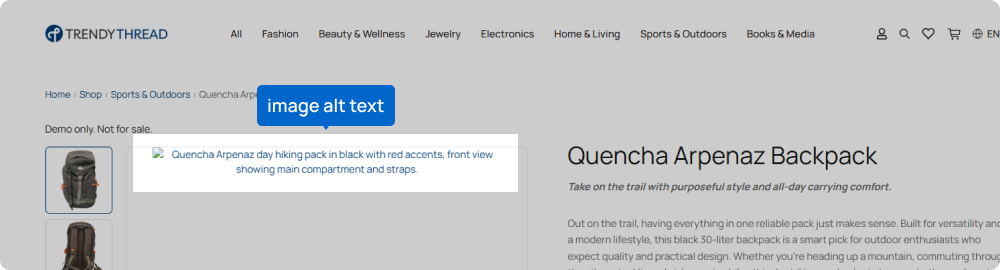
Proper alt text helps improve your store's search engine ranking by providing additional context to search engines.
Alt text makes your store more accessible to visually impaired users, ensuring a better shopping experience for all.
It helps clarify the content of your images, enhancing the overall user experience.
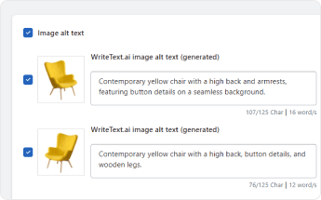
WriteText.ai for Shopify introduces an intelligent Shopify image alt text generator designed to automatically create relevant and descriptive alt texts for your product images. By leveraging advanced AI algorithms, WriteText.ai ensures that your images are always accompanied by the perfect alt text.
Whether you’re managing hundreds or thousands of listings, automating this process helps you manage your Shopify store more efficiently.
Automatically generate alt texts for all your images, freeing up your time to focus on other important tasks.
Ensure uniform and consistent alt text across all images, maintaining a professional appearance.
Boost visibility with keyword-enriched Shopify image alt text that aligns with your SEO strategy.
Provide a better experience for all users, including those using screen readers.
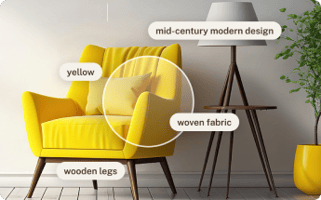
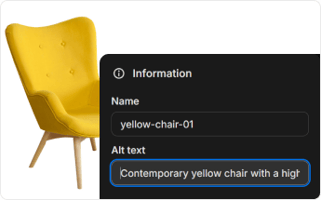
While the Shopify alt text generator is a standout feature, WriteText.ai offers many other tools to enhance your Shopify store. Experience convenience and speed in ecommerce copywriting with WriteText.ai’s suite of features from meta title generator, meta description generator, to keyword analysis, custom tones, style, and audiences, and more. See full list of features here.
Enhance your Shopify store with WriteText.ai's alt text generator and many other powerful features. Save time, improve SEO, and ensure accessibility with automated solutions designed to elevate your online presence. Try WriteText.ai for Shopify today and see the difference it can make for your store.
WriteText.ai generates alt text and publishes it directly to Shopify's native image alt text fields on your product pages. Once published, the alt text is stored within Shopify in the same way as alt text you would add manually through your Shopify admin. No separate storage or additional configuration is required.
WriteText.ai incorporates target keywords that you have defined for each product into the generated alt text, alongside the visual analysis of the image. Keywords are placed where they fit naturally within a description of the image content. Setting clear target keywords for your products before generating alt text produces output that is better aligned with your SEO strategy.
Yes. WriteText.ai supports bulk alt text generation for Shopify, so you can process images across multiple products in a single operation rather than handling each product individually. The number of images you can process depends on your plan's credit allocation, which is detailed at our pricing page.
WriteText.ai generates alt text on demand. When you add new images to your Shopify products, you generate alt text for them by running the generator within the WriteText.ai interface at a time you choose. The tool does not run in the background automatically whenever a new image is uploaded.
Alt text is one of several on-page SEO factors, and its impact depends on how well other elements are already optimized. For ecommerce stores where product images are a primary content type, alt text provides search engines with the context they need to index those images and associate them with relevant search queries. Stores with large image libraries and no alt text are missing an indexing signal that can contribute to organic traffic, particularly from image search.
Yes. WriteText.ai presents all generated alt text for review inside the platform before any content is published to Shopify. You can read, edit, and approve each alt text individually, and nothing is applied to your store until you confirm the transfer.
WriteText.ai offers a free account with 35 complimentary credits each month, which you can use to try the alt text generator and other features without committing to a paid plan. For full details on what the free account includes and how credits work, the pricing page provides a complete breakdown.